[vc_section][vc_row el_class=”first__section”][vc_column][vc_column_text el_class=”landing__title__heading”]
Immerse Yourself in the Future of Coding with Wize Computing Academy’s Cutting-Edge AR/VR Curriculum
[/vc_column_text][vc_column_text]Virtual Reality, or VR, is a medium that allows the viewer to get immersed into a virtual 3D experience. The virtual environment replaces the real world in the eyes of the viewer, who can move and look around, and sometimes even interact with the virtual content.
Augmented Reality, or AR, let us see the real-life environment right in front of us—trees swaying in the park, dogs chasing balls, kids playing soccer—with a digital augmentation overlaid on it.
In this course students explore the creation of virtual tours, storytelling, games and simulations. The beauty of this approach is that it allows for creativity and coding in multiple dimensions (3D, voiceover, music, video etc.). There is no limit to what one can create!
Benefits of VR for students
- Provides a FUN environment for learning
- Allows thinking in 3 dimensions in various sizes
- Develops 21st century skills needed to adopt technological advances to ones benefit
- Leads to higher student engagement in the classroom
- Enhances collaboration and teamwork
- Increases retention of knowledge

[/vc_column_text][/vc_column][/vc_row][vc_row css=”.vc_custom_1686210807067{background-color: #f5f5f5 !important;}” el_class=”second__section”][vc_column][vc_column_text el_class=”landing__title__heading”]
Concepts Covered
[/vc_column_text][vc_row_inner equal_height=”yes”][vc_column_inner el_class=”popup__box” width=”1/3″][vc_column_text]
Transform
- Move
- Turn
- Scale
- Distance
- Position
[/vc_column_text][/vc_column_inner][vc_column_inner el_class=”popup__box” width=”1/3″][vc_column_text]
Actions
- Animation
- Color
- Opacity
- Panel for Information & Quizzes
- Sound
- Text
- Video
[/vc_column_text][/vc_column_inner][vc_column_inner el_class=”popup__box” width=”1/3″][vc_column_text]
Events
- When Item is Clicked
- When Item is Hovered
- Keyboard Controls
- When Item is Collides
[/vc_column_text][/vc_column_inner][/vc_row_inner][vc_row_inner equal_height=”yes”][vc_column_inner el_class=”popup__box” width=”1/3″][vc_column_text]
Controls
- Forever Loops
- Repeat Loops
- If-Then-Else Condition
- Wait
- Parallel Programming
Functions
- Defining
- Calling
- Parameters
[/vc_column_text][/vc_column_inner][vc_column_inner el_class=”popup__box” width=”1/3″][vc_column_text]
Operators
Data
[/vc_column_text][/vc_column_inner][vc_column_inner el_class=”popup__box” width=”1/3″][vc_column_text]
Items
- Modify
- Get
- Delete
- Adding Physics
Physics
- Push
- Spin
- Velocity
- Friction
- Gravity
[/vc_column_text][/vc_column_inner][/vc_row_inner][/vc_column][/vc_row][vc_row equal_height=”yes” disable_element=”yes” el_class=”popup__box__section”][vc_column][vc_row_inner][vc_column_inner el_class=”popup__box__inner__first” width=”1/3″][vc_column_text]
LEGO Spike Prime & Spike Essential
[/vc_column_text][/vc_column_inner][vc_column_inner el_class=”popup__box__inner__second” width=”1/3″][vc_column_text]
LEGO WeDo 2.0
[/vc_column_text][/vc_column_inner][vc_column_inner el_class=”popup__box__inner__third” width=”1/3″][vc_column_text]
LEGO Mindstorms EV3
[/vc_column_text][/vc_column_inner][/vc_row_inner][/vc_column][/vc_row][vc_row disable_element=”yes” el_class=”third__section”][vc_column][vc_row_inner rtl_reverse=”yes” content_placement=”middle”][vc_column_inner el_class=”popup__left__content” width=”1/2″][vc_column_text el_class=”landing__title__heading” el_id=”about__us”]
Coding Concepts Covered
[/vc_column_text][vc_column_text]
- Getting Started – Introduction to building & programming
- Programming the Hub
- Robot movement
- Wait Until & Sensors
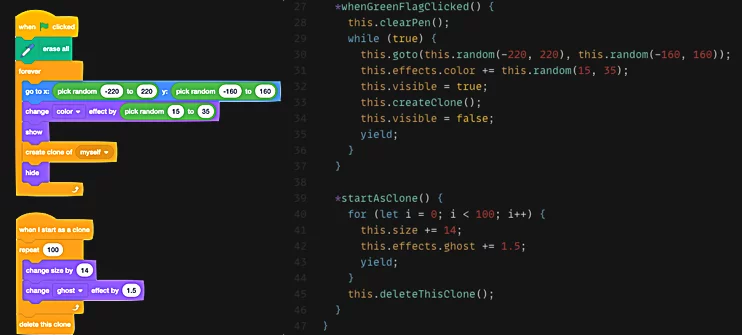
- Loops
- Parallel Programming
- Event Programming
- Sound and Music
- Mathematical Operations
- External Web API Calls
[/vc_column_text][/vc_column_inner][vc_column_inner el_class=”popup__right__image” width=”1/2″][vc_single_image image=”309579″ img_size=”full”][/vc_column_inner][/vc_row_inner][/vc_column][/vc_row][vc_row disable_element=”yes”][vc_column width=”1/2″][vc_single_image image=”309580″ img_size=”full”][/vc_column][vc_column width=”1/2″][vc_column_text el_class=”landing__title__heading”]
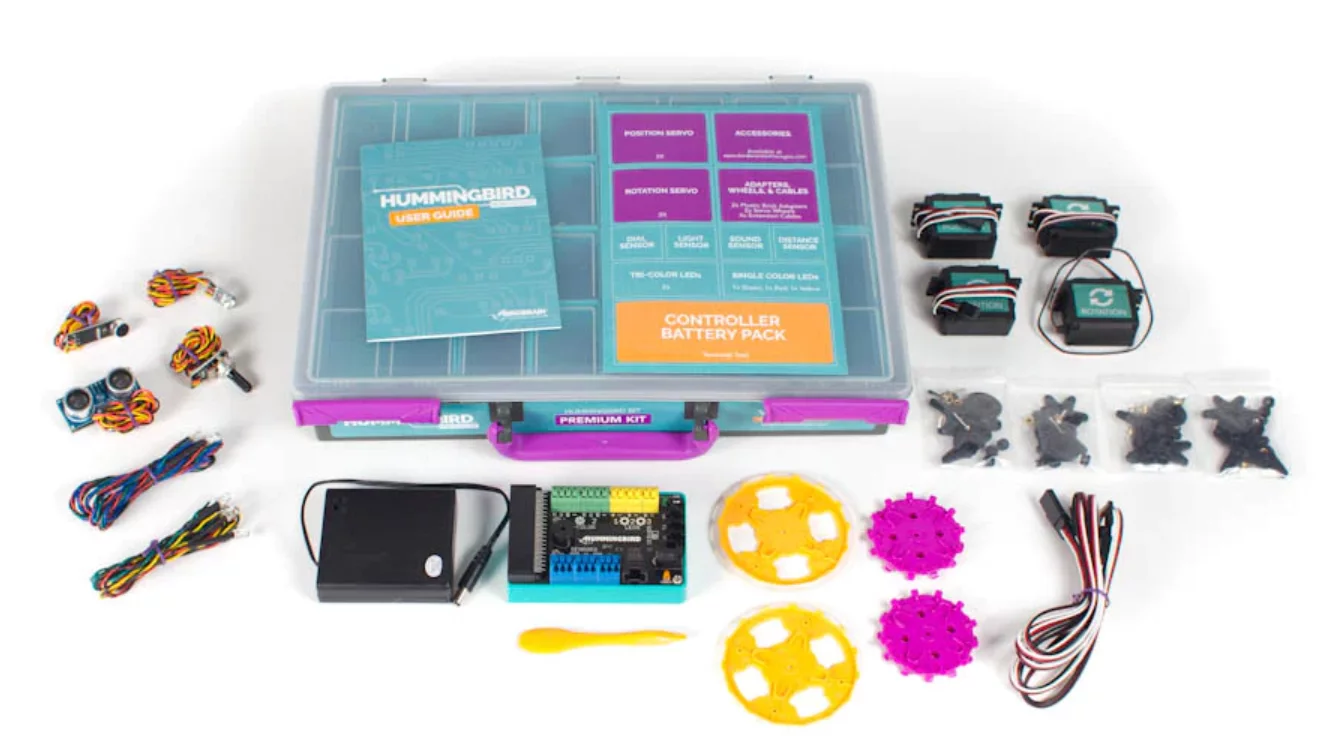
Hummingbird kit & micro:bit
[/vc_column_text][vc_column_text]Experience the power of innovation with our advanced robotics toolkits, including the versatile Hummingbird Kit and the dynamic BBC micro:bit. These exceptional resources empower students to construct robots from various materials, blending imagination with technology.
The Hummingbird Kit combines lights, sensors, and motors, providing endless possibilities for creating unique robotic creations. Students can explore their wildest ideas, bringing them to life through hands-on building and programming.
With the handheld BBC micro:bit, a programmable micro-computer, students embark on a journey of limitless potential. From crafting robots to designing musical instruments, the micro:bit opens the door to a world of exciting creations.
Harnessing the power of both the Hummingbird Kit and the micro:bit, students unleash their creativity and animate their robots using block- and text-based coding languages. They learn to think like engineers of tomorrow as they navigate the realms of robotics and coding.[/vc_column_text][/vc_column][/vc_row][/vc_section]